Good conversations deserve more than a file.
Sylloro is our native Mac app for turning a recording into useful text. Local transcription, speaker separation, timestamps and an editor let you keep working with what was said. An in-house FLOMORO product, considered from the first file to the finished document.
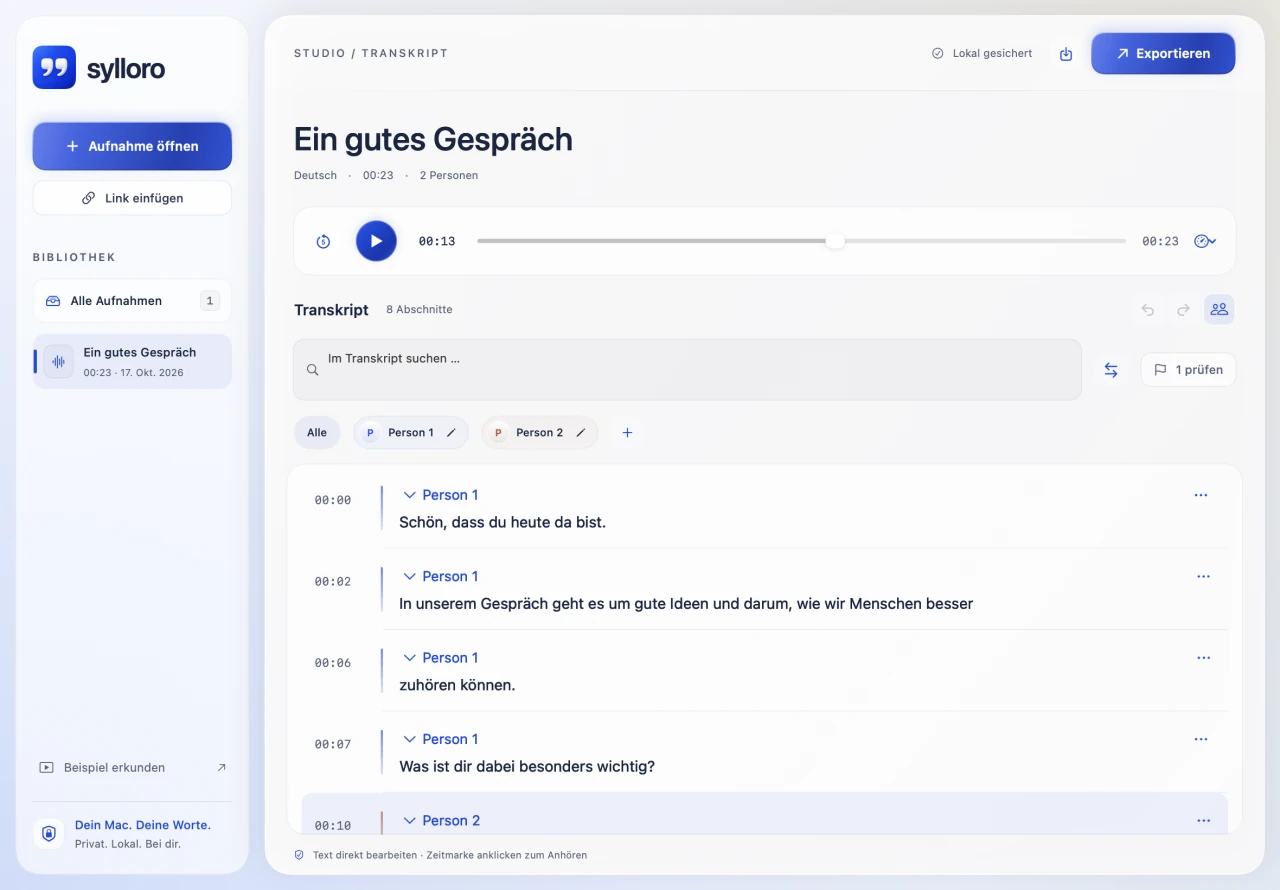
The recording was there. Useful text was not.
Recording a conversation is the easy part. Afterwards comes the work: finding a particular moment, listening again, separating speakers and taking the ideas into a document. An audio file alone does not do that.
Sylloro starts there. Audio and text stay together. Listen, jump to a timestamp, make corrections and take the text with you. The aim is to turn a stored recording into working material.
For what was said. And what comes after.
Interviews & conversations
Find statements, check them against the original and keep working with the text.
Personal notes & learning
Read and search a saved recording, then edit the passages that matter.
Audio & video
Transcripts for further work and subtitles to take away, keeping audio and text connected.
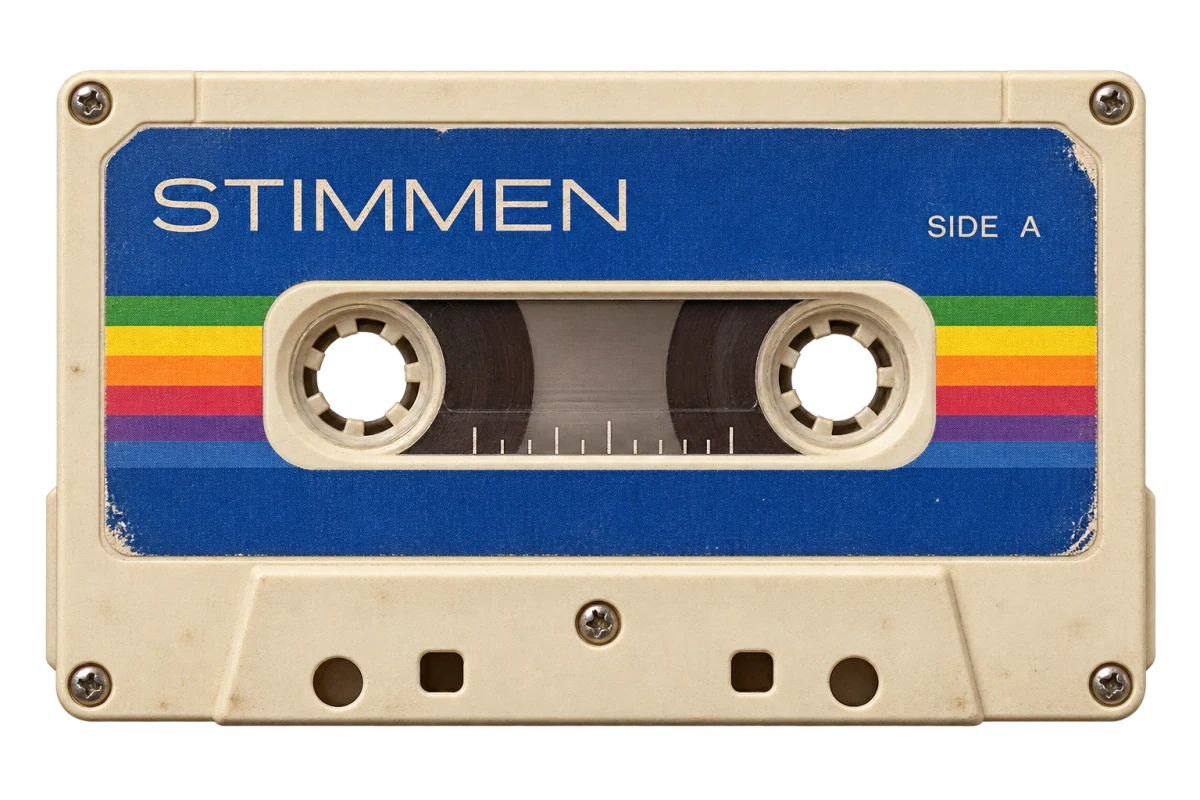
From the first drop to the final sentence.
One workflow rather than a collection of disconnected tools. These views come from the actual Mac app and use a short synthetic test recording. They are not a recreated web editor.
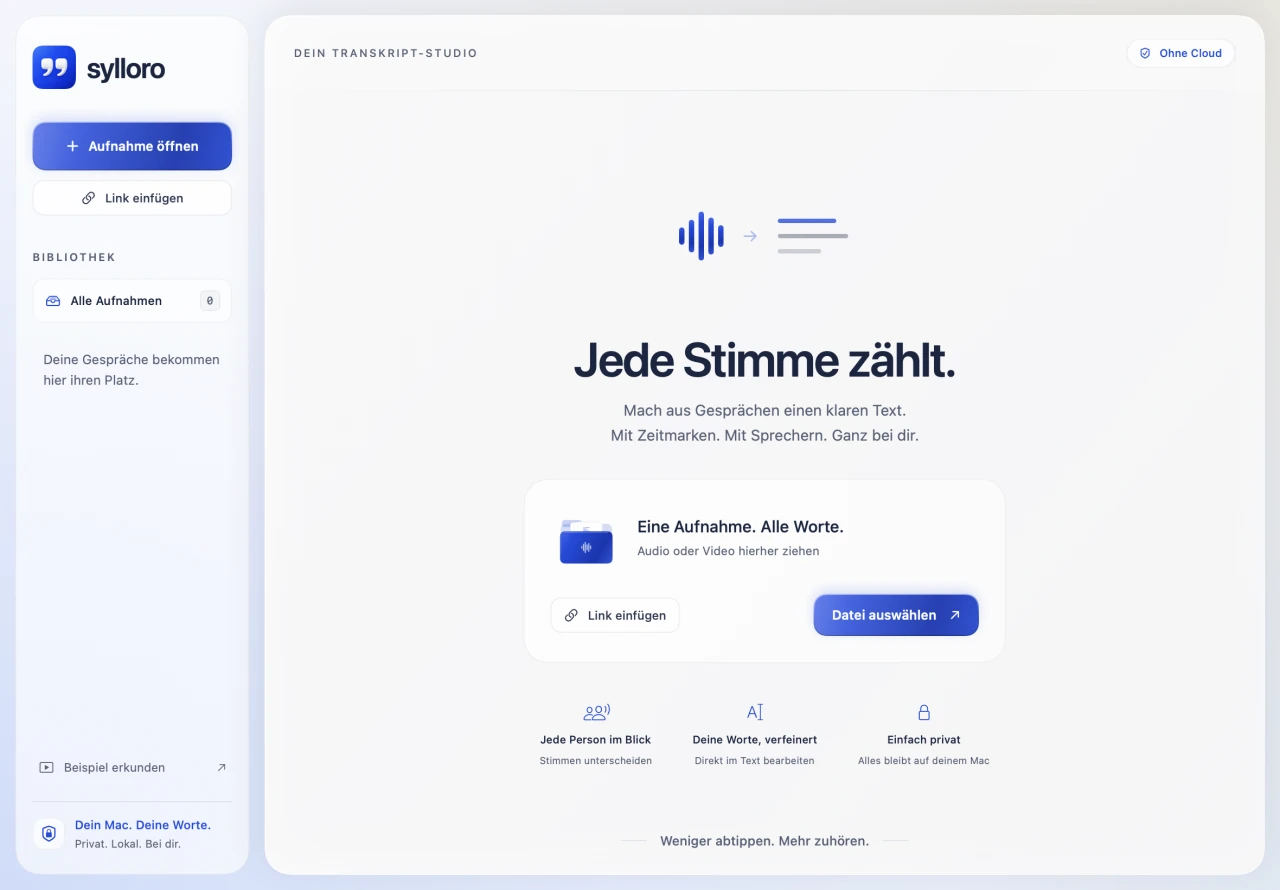
A calm starting point.
The library, file opening and link import are directly accessible. The start screen explains the task rather than presenting an empty toolbar.
Actual Mac app interface · Synthetic test recording · Product interface in German. The demonstration is abbreviated and is not a recognition-quality or processing-speed measurement.
A transcript is a starting point. Not a verdict.
Automatic recognition can make mistakes. Checking the result belongs inside the product, rather than becoming a separate chore.
Who is speaking? You have the final say.
Sylloro separates speakers within one recording. Names are assigned manually, and individual passages can be reassigned. It does not identify the same person across different recordings.
Jump to the moment instead of searching again.
Timestamps lead directly to playback. Search, replace, split, merge and undo/redo support editing in context.
A review marker is not an accuracy score.
Markers surface issues such as ambiguous speaker boundaries or overlap. They use timing assignments and heuristics, not calibrated recognition probabilities. Important passages remain checkable against the audio.
Your Mac is the workspace.
Speech recognition and speaker separation run locally. Recordings are not uploaded to a transcription service for that processing. Projects and their media remain on the Mac for further work.
- Recording
- Processing on your Mac
- Editable text
Initial model downloads and explicitly requested public-recording imports need internet access. Local files can be processed offline once the required models are available.
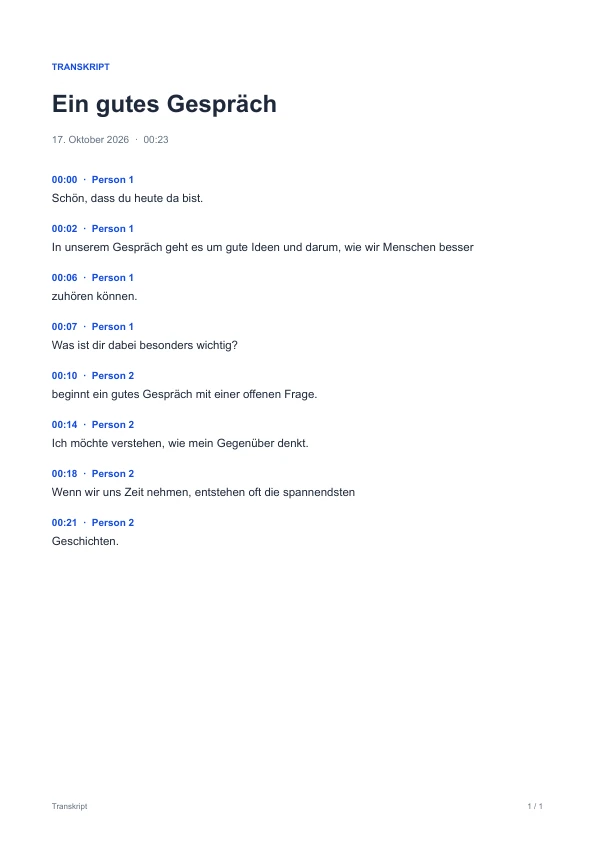
Eleven formats. A useful next step.
A PDF to share. A Word document to develop. Subtitles for a video. Export belongs to the workflow because a transcript becomes useful through what you do with it.
- DOCX
- DOC
- ODT
- RTF
- HTML
- TXT
- Markdown
- CSV
- SRT
- VTT
Familiar on the Mac. Distinctive in the details.
Royal blue, quiet pearl surfaces and the native system font give Sylloro a clear identity. Transcript text has a readable working surface. Motion explains handoffs and state changes; the transcript stays still while editing or streaming text.
One motif with a purpose.
Quotation marks represent voices becoming written words. The icon connects the app, library and public identity.
Motion with a reason.
Files respond during a drop, panels open deliberately and processing has a dedicated signal. Reduced motion and transparency are respected.
A native product, connected throughout.
SwiftUI, local speech and speaker models, saved projects and native document output work together. The design follows the app’s actual workflow.
The way back needs to work too.
Imports and processing can be cancelled. Projects save locally and reopen later. A failed save must never look like completed work. These less visible decisions belong to the product just as much as the first attractive screen.
A real Mac app. Not yet a public download.
Sylloro is in development for Apple Silicon Macs running macOS 26 or later. A release date and price have not been announced. The product page shows the app and its workflow; it does not currently offer an app download.
- The selectable languages are German, English, Spanish, French, Italian and Portuguese.
- Accents, noise, similar voices and overlapping speech can make recognition and speaker assignment harder.
- Import uses files and accessible public recordings. Live microphone capture is not part of the current product; access restrictions and login requirements are not bypassed.
Less typing. More use for what was said.
Sylloro shows how we think through an in-house product: from native entry through local processing and correction to the document needed afterwards. The benefit is the product direction; no measured time savings or error-free recognition are claimed.